

As a supplier of VMC 850 CNC machines, I often receive inquiries about the compatibility of our machines with different CAD/CAM software. In this blog post, I'll delve into this topic, exploring the significance of compatibility, the commonly used CAD/CAM software, and how our VMC 850 CNC can work seamlessly with them.
The Significance of Compatibility between VMC 850 CNC and CAD/CAM Software
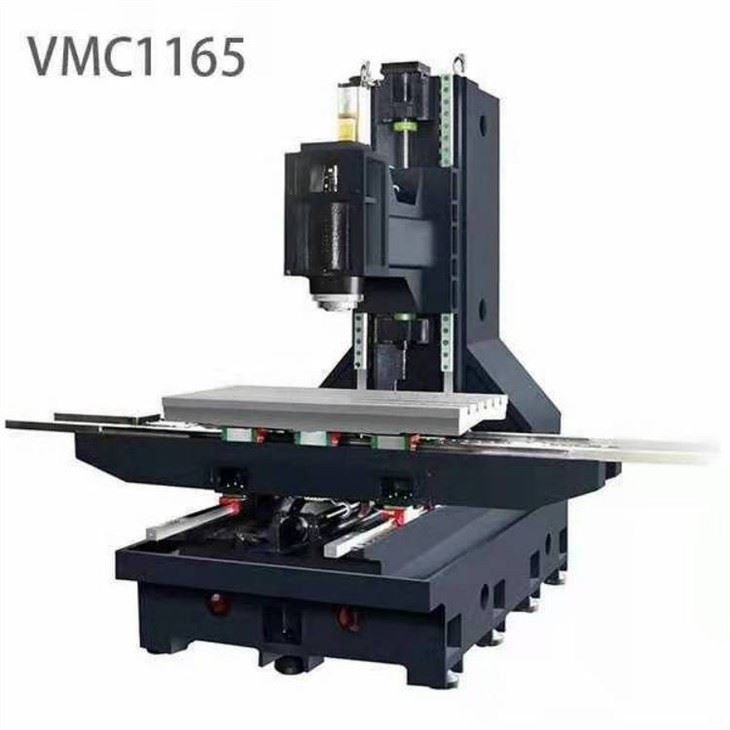
The VMC 850 CNC, a vertical machining center, is a powerful tool in the manufacturing industry. It can perform a variety of machining operations such as milling, drilling, and tapping with high precision and efficiency. However, to fully unleash its potential, it needs to work in harmony with appropriate CAD/CAM software.
CAD (Computer-Aided Design) software is used to create 2D or 3D models of the parts to be machined. It allows designers to visualize the final product, make modifications easily, and generate accurate design specifications. CAM (Computer-Aided Manufacturing) software, on the other hand, takes the CAD models and converts them into machine-readable instructions (G-code) that the VMC 850 CNC can understand and execute.
When the VMC 850 CNC is compatible with CAD/CAM software, it enables a smooth workflow from design to production. There are fewer errors in the translation of design data into machining instructions, resulting in higher quality parts and reduced production time. Moreover, compatibility also allows for greater flexibility in the manufacturing process, as operators can choose the CAD/CAM software that best suits their specific needs and expertise.
Commonly Used CAD/CAM Software and Their Compatibility with VMC 850 CNC
1. Mastercam
Mastercam is one of the most popular CAM software in the industry. It offers a wide range of machining strategies for milling, turning, and multi-axis machining. Mastercam's post-processors can be customized to generate G-code that is specifically tailored to the VMC 850 CNC. This means that the software can take into account the machine's specific capabilities, such as its maximum feed rates, spindle speeds, and axis movements, to create optimized machining programs.
The compatibility between Mastercam and the VMC 850 CNC is excellent. The software's user-friendly interface and powerful simulation tools allow operators to visualize the machining process before actual production, reducing the risk of errors and collisions. Additionally, Mastercam's continuous updates ensure that it remains compatible with the latest versions of the VMC 850 CNC's control systems.
2. SolidWorks with CAMWorks
SolidWorks is a well - known CAD software that is widely used for mechanical design. When combined with CAMWorks, a CAM add - on for SolidWorks, it becomes a powerful CAD/CAM solution. CAMWorks can directly access the SolidWorks models, eliminating the need for data conversion between different software.
The VMC 850 CNC can work effectively with SolidWorks and CAMWorks. CAMWorks' feature - based machining technology allows for automatic recognition of machining features in the SolidWorks models, which speeds up the programming process. The generated G-code is optimized for the VMC 850 CNC, ensuring efficient and accurate machining.
3. Fusion 360
Fusion 360 is a cloud - based CAD/CAM software that offers a comprehensive set of tools for design, engineering, and manufacturing. It has a unified platform that allows users to create, simulate, and manufacture parts all in one place.
Fusion 360's compatibility with the VMC 850 CNC is also very good. The software provides a wide range of post - processors for different CNC machines, including the VMC 850 CNC. Its real - time collaboration features are also beneficial for teams working on machining projects, as multiple users can access and modify the design and machining programs simultaneously.
Ensuring Compatibility in Practice
As a VMC 850 CNC supplier, we take several steps to ensure that our machines are compatible with different CAD/CAM software.
First, we work closely with software developers to test and optimize the compatibility. We participate in beta testing programs to provide feedback on the performance of the software with our machines. This helps software developers to make necessary adjustments to improve the compatibility and functionality.
Second, we provide comprehensive training and support to our customers. Our technical support team can assist customers in setting up the CAD/CAM software, configuring the post - processors, and troubleshooting any compatibility issues that may arise. We also offer training courses on how to use different CAD/CAM software in conjunction with the VMC 850 CNC, enabling our customers to make the most of the combined capabilities of the software and the machine.
Other Considerations for CAD/CAM Compatibility
In addition to the software itself, there are other factors that can affect the compatibility between the VMC 850 CNC and CAD/CAM software.
1. Control System
The control system of the VMC 850 CNC plays a crucial role in compatibility. Different control systems have different requirements for G - code syntax and formatting. When choosing CAD/CAM software, it is important to ensure that it can generate G - code that is compatible with the specific control system of the VMC 850 CNC.
2. Machine Configuration
The configuration of the VMC 850 CNC, such as the number of axes, the type of spindle, and the tool changer, can also impact compatibility. Some CAD/CAM software may require additional settings or customizations to work properly with certain machine configurations.
Conclusion and Call to Action
In conclusion, the compatibility of the VMC 850 CNC with different CAD/CAM software is essential for achieving efficient and high - quality machining. Our VMC 850 CNC is designed to work seamlessly with popular CAD/CAM software such as Mastercam, SolidWorks with CAMWorks, and Fusion 360. We are committed to ensuring that our customers can fully utilize the capabilities of both the machine and the software.
If you are in the market for a reliable VMC 850 CNC machine and want to know more about its compatibility with CAD/CAM software, or if you have any other questions regarding our products, please feel free to contact us. We are here to provide you with the best solutions for your manufacturing needs. You can also explore our other products such as the CNC Metal Milling Machine 1100, Affordable Cnc Milling Machine, and CNC Milling Machine GSK 850.

References
- "Mastercam User Guide", CNC Software, Inc.
- "SolidWorks and CAMWorks Documentation", Dassault Systèmes
- "Fusion 360 Help Center", Autodesk


