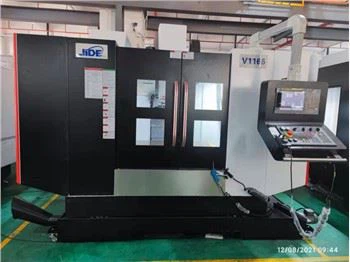
Hey there! As a FANUC CNC supplier, I've dealt with a whole bunch of error codes in FANUC CNC systems over the years. In this blog, I'm gonna share some of the common error codes and their solutions.
1. Alarm Code 401 - Servo Alarm: VRDY Off
This is one of the most common error codes you'll come across. When you see Alarm Code 401, it means the servo amplifier's ready signal (VRDY) has gone off. There are a few reasons why this might happen.
Possible Causes
- Power supply issues: A faulty power supply to the servo amplifier can cause the VRDY signal to turn off. Check if the power cables are properly connected and if there are any signs of damage.
- Overload: If the servo motor is overloaded, it can trip the amplifier's protection circuit, leading to the VRDY signal going off. Look for any mechanical obstructions that might be causing the overload.
- Faulty servo amplifier: Sometimes, the servo amplifier itself can be faulty. You might need to test the amplifier or replace it if necessary.
Solutions
- Check the power supply: Make sure the power supply to the servo amplifier is stable and within the specified voltage range. You can use a multimeter to check the voltage.
- Remove mechanical obstructions: Inspect the machine for any mechanical issues that might be causing the overload. Clear any debris or fix any misaligned parts.
- Replace the servo amplifier: If all else fails, you might need to replace the faulty servo amplifier. This should be done by a qualified technician.
2. Alarm Code 5136 - SRAM Parity Error
Alarm Code 5136 indicates a parity error in the SRAM (Static Random Access Memory). This can be a bit of a headache, but there are ways to fix it.
Possible Causes
- Power outage: A sudden power outage can cause data corruption in the SRAM, leading to a parity error.
- Faulty SRAM module: The SRAM module itself might be faulty. This can happen due to normal wear and tear or manufacturing defects.
- Electrical interference: Electrical interference from other components in the machine can also cause parity errors in the SRAM.
Solutions
- Reset the system: Sometimes, a simple system reset can clear the parity error. Turn off the machine, wait for a few minutes, and then turn it back on.
- Replace the SRAM module: If the reset doesn't work, you might need to replace the faulty SRAM module. Make sure to use a compatible module.
- Reduce electrical interference: Check for any sources of electrical interference in the machine. You can use shielded cables or install EMI filters to reduce the interference.
3. Alarm Code 900 - CNC Alarm: ROM Checksum Error
When you see Alarm Code 900, it means there's a checksum error in the CNC's ROM (Read-Only Memory). This error indicates that the data in the ROM has been corrupted.
Possible Causes
- Faulty ROM chip: The ROM chip itself can be faulty. This can happen due to manufacturing defects or damage from static electricity.
- Power issues: Unstable power supply or power surges can cause data corruption in the ROM.
- Software issues: Sometimes, a software glitch can cause the checksum error.
Solutions
- Replace the ROM chip: If the ROM chip is faulty, you'll need to replace it. Make sure to use a compatible chip.
- Check the power supply: Ensure that the power supply to the CNC is stable. You can use a UPS (Uninterruptible Power Supply) to protect the machine from power surges.
- Update the software: If the checksum error is due to a software glitch, try updating the CNC's software to the latest version.
4. Alarm Code 100 - Program Alarm: Program Stop
Alarm Code 100 indicates that the CNC program has stopped. This can be caused by a variety of factors.


Possible Causes
- End of program: The program might have reached its end and stopped normally.
- Program error: There could be an error in the CNC program, such as a syntax error or a logical error.
- Emergency stop: If the emergency stop button has been pressed, the program will stop.
Solutions
- Check the program: Review the CNC program to make sure there are no errors. You can use a CNC programming software to debug the program.
- Reset the emergency stop: If the emergency stop button was pressed, release it and reset the machine.
- Restart the program: If the program stopped normally, you can restart it from the beginning or from a specific point.
5. Alarm Code 200 - Tool Change Alarm
Alarm Code 200 is related to tool change issues. This can cause delays in the machining process if not resolved quickly.
Possible Causes
- Tool magazine malfunction: The tool magazine might not be functioning properly. This could be due to mechanical issues or electrical problems.
- Tool clamping issues: If the tool is not clamped properly, the tool change might fail.
- Programming errors: There could be errors in the tool change program.
Solutions
- Inspect the tool magazine: Check the tool magazine for any mechanical issues, such as misaligned tools or damaged components. Fix any problems you find.
- Check the tool clamping: Make sure the tool is clamped securely. You might need to adjust the clamping mechanism.
- Review the tool change program: Check the tool change program for any errors. Make sure the program is correctly written and the tool numbers are correct.
Conclusion
Dealing with error codes in FANUC CNC systems can be a challenge, but with a little knowledge and some troubleshooting skills, you can usually get the machine up and running again. If you're in the market for a high - quality FANUC CNC machine, we've got some great options for you. Check out our Vertical Mill, Vmc Milling Machine, and Precision CNC Machining Center VMC850.
If you have any questions or are interested in purchasing a FANUC CNC machine, don't hesitate to reach out. We're here to help you with all your CNC needs.
References
- FANUC CNC System User Manual
- CNC Machining Technical Guides